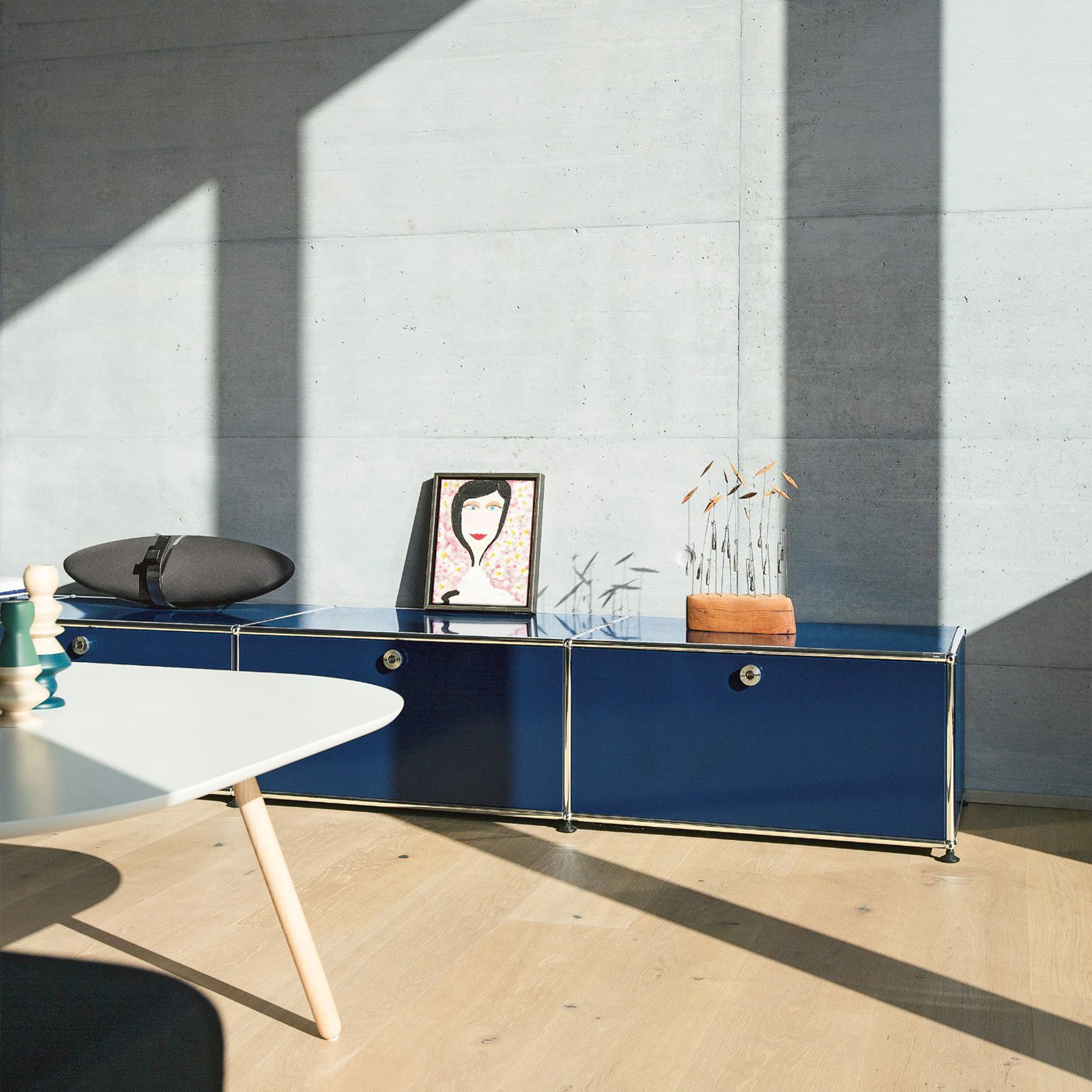
For a small living room, pick a TV whose screen fills roughly 30 to 40 degrees of your view: that is a TV diagonal of about 0.6 to 0.8 times your sofa distance (a 55 inch TV suits a sofa 5.5 to 7.5 feet away), and a stand at least as wide as the TV set. A 55 inch screen is 121.7 cm / 47.9 in wide (RTINGS), so a 60 in / 152.4 cm media unit leaves room to step up to a 65 inch set. We sell steel media units, so we show our own measurements next to the maths and flag where you should check your own TV’s spec sheet.
This is a fit and dimensions guide, not electrical, mounting-safety or ergonomic advice.
How big a TV for a small living room?
The two numbers most guides quote come from viewing angle. SMPTE is widely quoted as recommending a seat where the screen fills at least 30 degrees of your field of view for mixed use, and THX recommends about 40 degrees for a more immersive, cinematic view (Wikipedia, Optimum HDTV viewing distance; RTINGS, TV size to distance). RTINGS puts it plainly: a 40 degree field of view “is generally the safest way to go”. On a 16:9 screen, 40 degrees is about 1.2 times the diagonal and 30 degrees is about 1.6 times the diagonal.
| TV size (diagonal) | Screen width | Seat distance, 40 to 30 degrees |
|---|---|---|
| 43 in | 95 cm / 37.5 in | 1.3 to 1.8 m / 4.3 to 5.8 ft |
| 50 in | 111 cm / 43.6 in | 1.5 to 2.1 m / 5.0 to 6.8 ft |
| 55 in | 122 cm / 47.9 in | 1.7 to 2.3 m / 5.5 to 7.5 ft |
| 65 in | 144 cm / 56.7 in | 2.0 to 2.7 m / 6.5 to 8.8 ft |
| 75 in | 166 cm / 65.4 in | 2.3 to 3.1 m / 7.5 to 10.2 ft |
| 85 in | 188 cm / 74.1 in | 2.6 to 3.5 m / 8.5 to 11.5 ft |
If you start from the room instead, measure from your seat to the wall the TV will stand against, then read the range below. Sizes are screen diagonals, rounded to the nearest inch.
| Sofa to TV | TV size range (30 to 40 degrees) |
|---|---|
| 6 ft / 1.8 m | 44 to 60 in |
| 7 ft / 2.1 m | 52 to 70 in |
| 8 ft / 2.4 m | 59 to 80 in |
| 10 ft / 3.0 m | 74 to 100 in |
Widths are the screen only. The set itself is a little wider because of the bezel: measured 55 inch sets run 48.0 to 49.1 in (121.9 to 124.6 cm) wide without the stand (WhatMount, 54 models). Use the width printed on your TV’s spec sheet for the final check.
How wide should a TV stand be?
Make the stand at least as wide as the TV set, and check the foot spacing in the TV’s manual: many sets stand on feet near the outer edges, and a set wider than the top surface hangs over. Depth matters as much as width. Our media units are 37.0 to 38.1 cm / 14.6 to 15 in deep, so a TV with long feet or a central pedestal needs its footprint checked against that.
| Unit | H x W x D | Largest TV (screen) | Screen center above floor, 55 in TV | Screen center above floor, 65 in TV | Sale price |
|---|---|---|---|---|---|
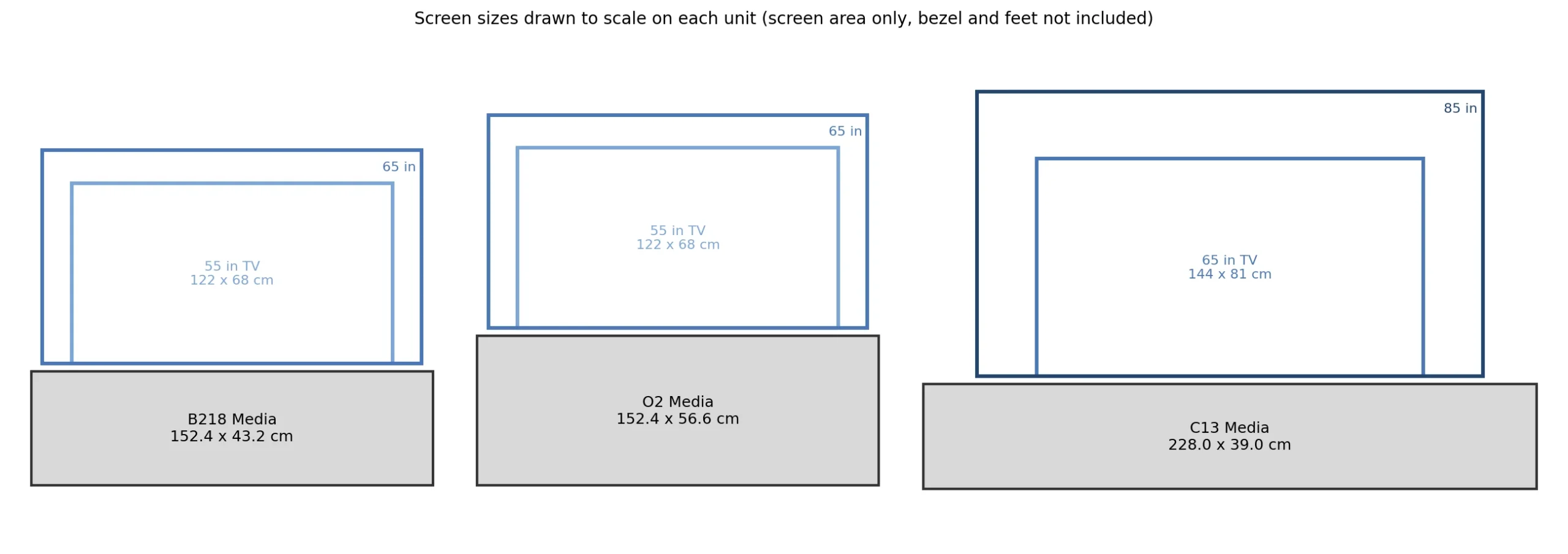
| B218 Media | 43.2 x 152.4 x 38.1 cm 17 x 60 x 15 in | 65 in | 77 cm / 30 in | 84 cm / 33 in | $1,149 |
| O2 Media | 56.6 x 152.4 x 38.1 cm 22.3 x 60 x 15 in | 65 in | 91 cm / 36 in | 97 cm / 38 in | $1,499 |
| C13 Media | 39.0 x 228.0 x 37.0 cm 15.35 x 89.76 x 14.57 in | 85 in | 73 cm / 29 in | 79 cm / 31 in | $1,599 |
Largest TV is the biggest size whose screen is narrower than the unit. On the C13, an 85 inch screen centers at about 92 cm / 36 in. Center height is the unit height plus half the screen height, so add the height of the TV’s feet if it has any. Prices are sale prices on our site on November 5, 2026; the list price is roughly double. The units use 50 kg per shelf as their load rating. Our product pages do not state a separate rating for the top panel, so compare your TV’s weight (on its spec sheet) with that figure before you place it.
Where does the screen center land?
With a 55 inch TV on top, the screen center sits at about 77 cm / 30 in on the B218 and 91 cm / 36 in on the O2. THX advises that a viewer should not have to look up more than 15 degrees (Wikipedia, Optimum HDTV viewing distance). Sit where you normally watch, measure your seated eye height, and compare it with the numbers in the table. If the screen center is far below your eye line, a taller unit or a wall mount puts it closer to eye level; if it is above it, choose the lower unit.
Three small living room layouts, by wall width
Wall under 152 cm / 60 in
None of our media units is narrower than 152.4 cm / 60 in, so on a narrower wall a wall-mounted TV with a shallow shelf below it is the better fit. Mount height follows the same eye-line check as above.
Wall about 180 cm / 71 in
A 60 in unit (B218 or O2) leaves about 13 cm / 5 in at each end, and takes a TV up to 65 inches. Choose B218 if the TV is on a low sofa and you want a lower screen, O2 if you want the screen higher or more storage height under it.
Wall about 240 cm / 94 in
The C13 is 228.0 cm / 89.8 in wide and 39.0 cm / 15.35 in tall, so it leaves about 6 cm / 2.4 in at each end and keeps a TV low to the floor. An 85 inch screen is 188 cm / 74 in wide, so it fits; confirm your seat distance first, because an 85 inch screen needs 2.6 to 3.5 m / 8.5 to 11.5 ft.
Wall mount, corner or stand?
Wall mounting frees the floor, and a full-motion arm lets one TV serve a sofa and a dining spot. Follow the mount maker’s weight rating and wall-type instructions, and keep the cable route in the plan before you drill. A corner works if the seats face it and the angle between viewers stays small; the stand must be deep enough for the TV feet in a corner, so measure that first. A floating console frees visual floor space but is a separate decision from the TV size and distance above.
Checklist for any TV stand, bought or DIY
- Width: at least the TV set width on its spec sheet.
- Depth: at least the foot or pedestal depth.
- Height: unit height plus half the screen height equals the screen center, compared with your seated eye height.
- Weight: TV weight against the rated load of the surface.
- Cables: room behind or beside the unit for the power block and a streaming box.
Decor around the TV
Keep the zone around the TV to two or three things. A lamp at one end, a plant or a stack of books at the other, and nothing above the screen line. A mirror placed to the side of the TV, not across from it, avoids reflecting the screen.
Frequently asked questions
Where should a TV be placed in a small living room?
On the wall that faces the main seats, with the screen center near your seated eye height, and not so high that you look up more than 15 degrees (THX guidance). Our measurements for a 55 inch TV: the B218 puts the screen center at about 77 cm / 30 in and the O2 at about 91 cm / 36 in.
How far should a TV be from the couch in a small living room?
For a 55 inch TV, 1.7 to 2.3 m / 5.5 to 7.5 ft, from the 40 and 30 degree viewing angles (THX and SMPTE guidance). For a 65 inch TV, 2.0 to 2.7 m / 6.5 to 8.8 ft.
Can a large TV work in a small living room?
Yes, if your seat is far enough from it. A 65 inch TV needs about 2.0 m / 6.5 ft to the sofa at 40 degrees. If your sofa is 1.8 m / 6 ft from the wall, a 44 to 60 inch screen fits the range; a 65 inch would sit closer than the recommended angles.
What size TV stand do I need for a 65 inch TV?
A 65 inch screen is 143.9 cm / 56.7 in wide, and sets run slightly wider. A 60 in / 152.4 cm unit such as the B218 or O2 is wide enough; check the foot spacing in the manual.
How do I hide a TV in a small space?
Wall-mount it and run the cable inside the wall or a cable cover, or choose a cabinet with doors that close over the screen. Neither changes the size or distance maths above.
Related reading
Sources
- RTINGS, TV Size To Distance Calculator (screen widths and 30, 40 and 62 degree viewing guidance), rtings.com/tv/reviews/by-size/size-to-distance-relationship.
- Wikipedia, Optimum HDTV viewing distance (SMPTE 30 degree and THX 40 degree conventions, THX 15 degree vertical guidance).
- WhatMount, 55 inch TV dimensions, 54 models measured.
- Arvhi product pages for B218 Media, O2 Media and C13 Media (dimensions, load rating, sale prices on November 5, 2026).
This item is not manufactured by or affiliated with the original designer(s) and associated parties. We do not claim any rights on any third party trademarks.